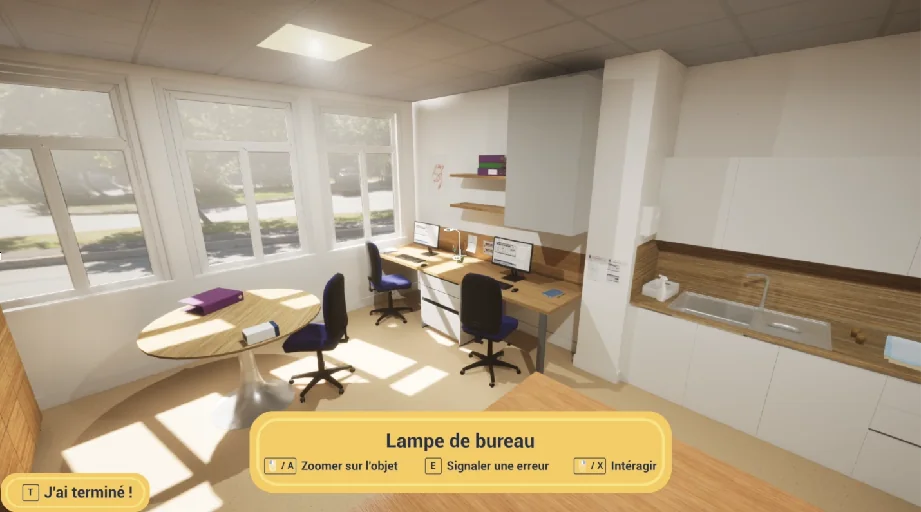
Choose an experience
Inspect a care room, explore a house and make decisions: the catalogue offers starting points for your workshops.
Prepare patient education, mental health education and training sessions with ScenaCare. Choose an experience, adapt its content and open it in your browser.
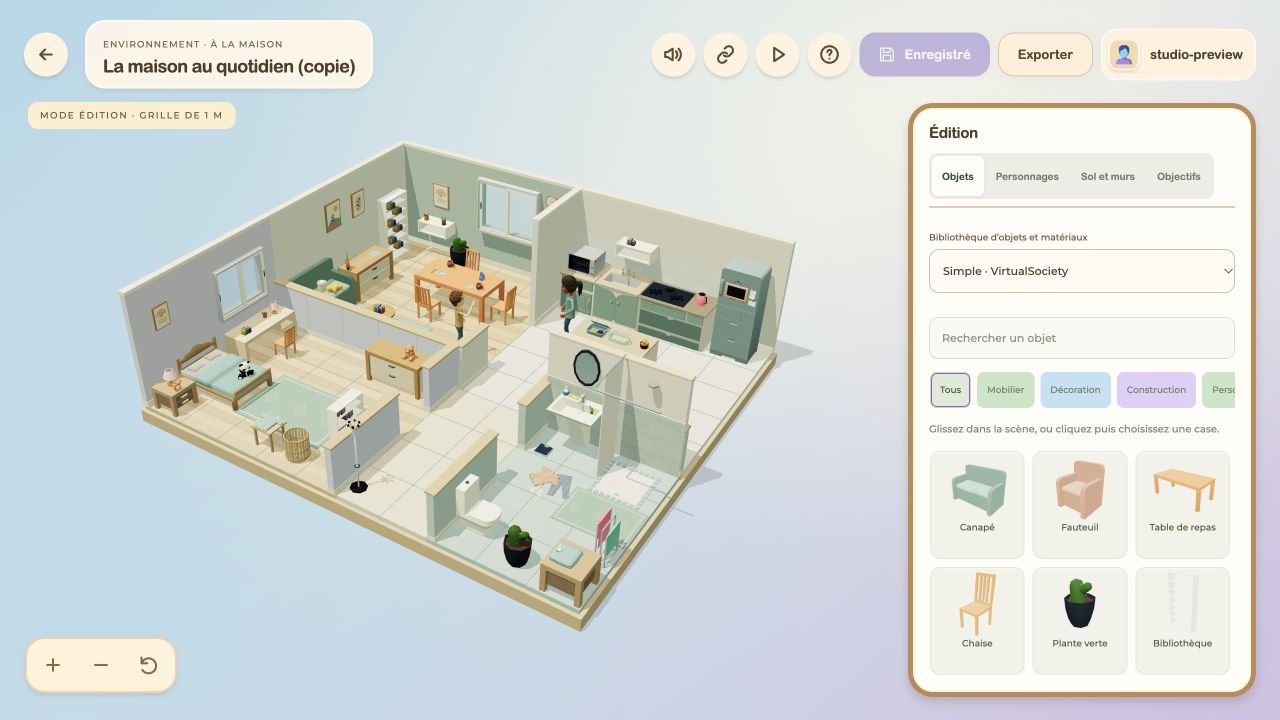
Inspect a care room, explore a house and make decisions: the catalogue offers starting points for your workshops.
Edit text, objects and interactions to use your own instructions.
Go over participants’ choices together. Use the experience to start a discussion during your session.
Take time to answer, try different responses and repeat a step: scenarios are developed with autistic people and those around them. These two mockups show how to explore a conversation or a routine.
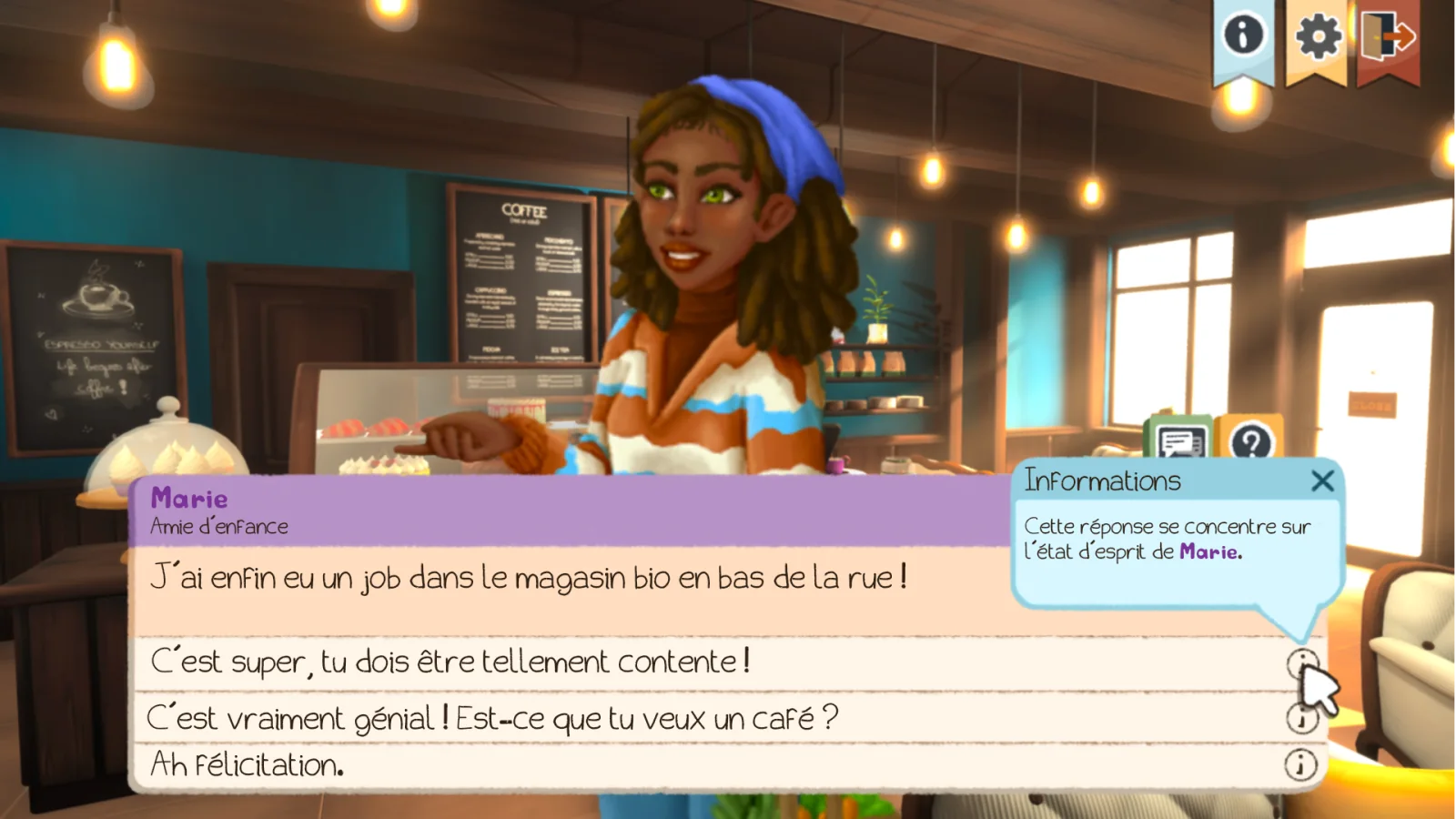
In a café, Marie announces that she has found a job. Each possible reply comes with an explanation: acknowledge her happiness, ask a question or continue the conversation. Each choice can be revisited to discuss emotions and intentions.
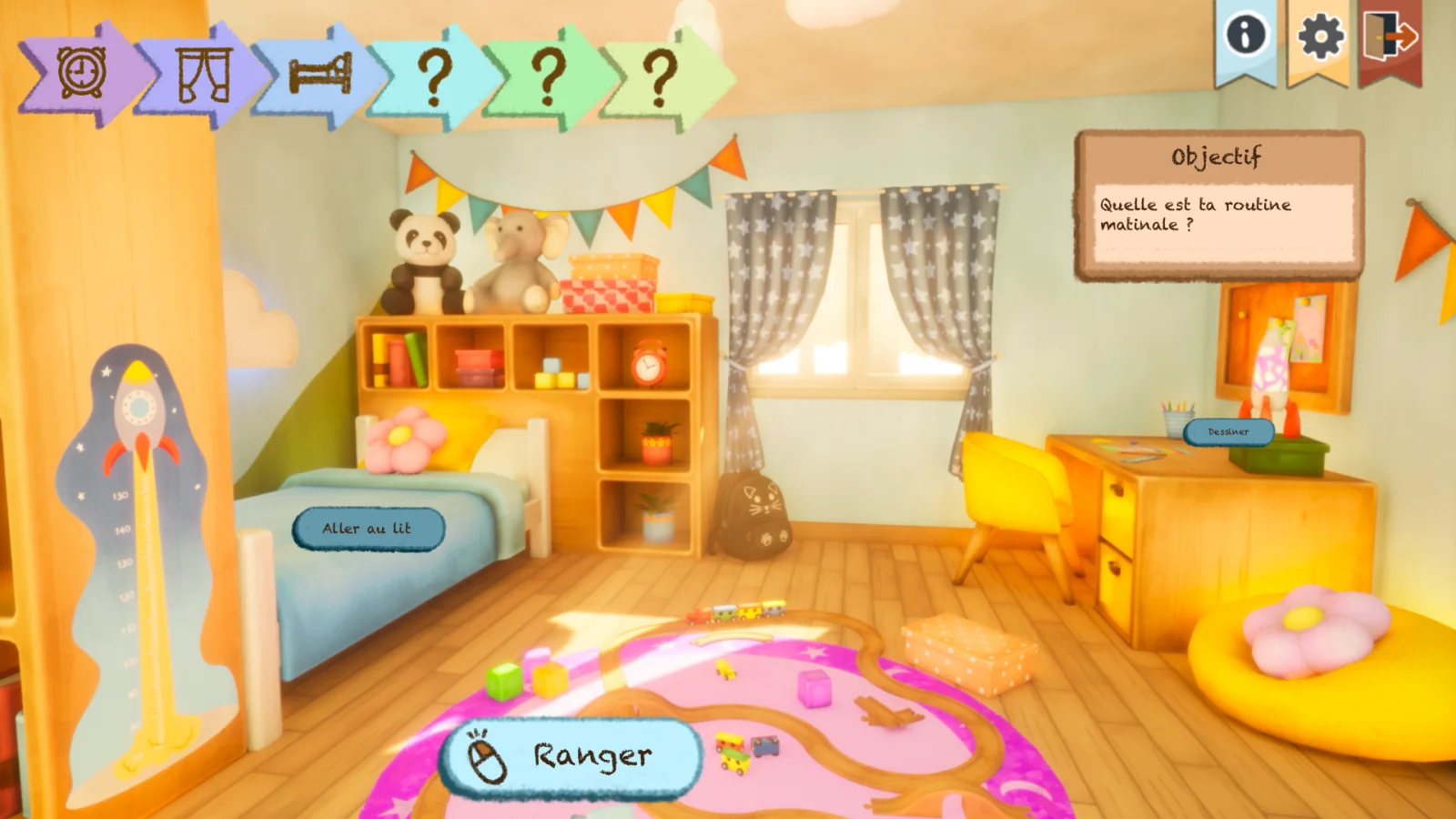
Open the curtains, make the bed, put things away: a visual timeline breaks the morning into steps. The person can explore the room, find the objects they need and repeat an action at their own pace.
A crowd, a height, an enclosed space or an unfamiliar place can be recreated and adjusted gradually. The scenario and its steps are defined with the therapist around the situation being explored.
The person can pause, try again or stop. Here, move the slider to transform the spider and see how the same visual can change.
Guided breathing, meditation, drawing or painting: these scenario ideas offer a different pace. A person can choose an activity, spend time with it and return to it when they wish.
Instructions, duration and surroundings can be prepared with professionals for their audience, then adapted in ScenaCare.